
 Sign in with Telegram
Accept Stripe Payments in a Telegram Group (2026 Guide)
Charge for a private Telegram group with your own Stripe account. See how paying members get invited automatically and lose access the moment a payment fails.

You built a channel people actually want to be in. Now you want to charge for it, without spending your evenings checking who paid, sending invite links by hand, and quietly removing the people who stopped. Telegram gives you the group. It does not give you recurring card billing or a way to kick a member the day their payment fails.
This guide shows how to accept card payments for a private Telegram group using your own Stripe account, so paying members are let in automatically and non-payers are removed without you watching.
Key takeaways
- Telegram does not process card subscriptions itself. You connect your own Stripe account through a membership tool and it handles access.
- Paying members get a single-use invite and join on their own. No manual approvals.
- When a payment fails or a subscription ends, access is removed automatically at the end of the paid period plus any grace you set.
- Your sales settle to your Stripe account. MemberPilot never holds your money; customers pay a 5% service fee at checkout.
Can a Telegram bot accept Stripe payments?
Not by itself, and this is the part most guides get wrong. Telegram has no built-in recurring card billing, so a bot cannot "be" your payment processor. Instead you connect your own Stripe account to a membership tool, the tool charges the card through Stripe, and the same tool controls who is in your channel. Stripe owns the money movement; the tool owns the door.
That split matters, because it is what keeps you in control of your revenue. With Stripe Connect, payments route to a connected account that belongs to you, not to the platform, so your earnings sit in your Stripe balance and pay out to your bank on Stripe's normal schedule.
What you need before you start
Three things, all of which you can set up in an afternoon:
- A Telegram channel or group you control, set to private.
- Your own Telegram bot, which MemberPilot connects to so invites and removals happen under your bot, not a shared one.
- A Stripe account in a country Stripe supports. You do not need to write any Stripe code; you connect it by clicking through Stripe's own onboarding.
How to accept Stripe payments in your Telegram group
The whole flow is five steps, and only the first two need your attention. After that it runs on its own.
1. Connect your Stripe account
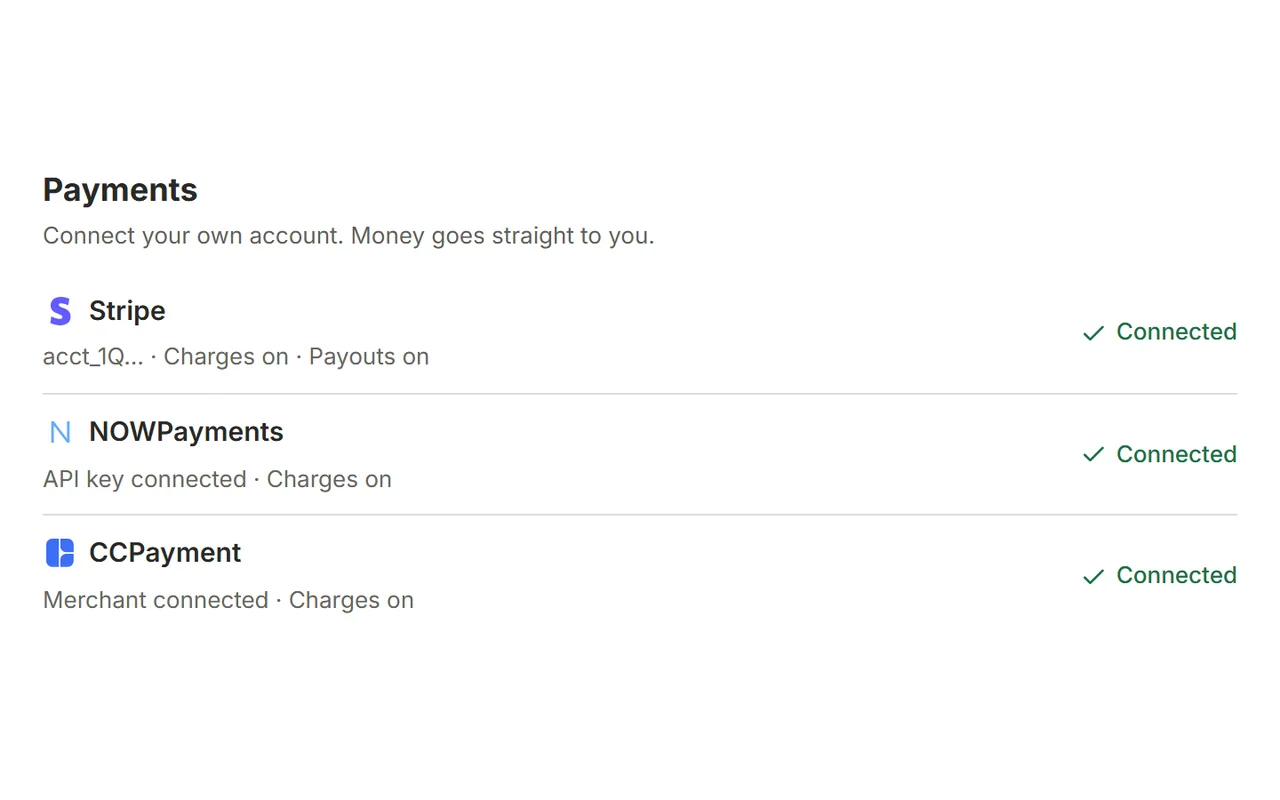
In MemberPilot's Payments area, connect Stripe. You are handed to Stripe's hosted onboarding, approve the connection, and land back with a connected account. From this point card payments settle to that Stripe account directly.
2. Create your offer and set the price
Create an offer, choose the channels or groups it unlocks, and set a monthly or yearly price. You keep the price you set. At checkout the customer sees your price plus a 5% MemberPilot service fee, so a $20 plan charges the customer $21.
3. Share your checkout link
Post your checkout link in the free part of your funnel: a public channel, your bio, a pinned message. Customers pay by card through your connected Stripe account. No Telegram Stars, no PayPal; card payments run on Stripe, and crypto is available separately through your own NOWPayments or CCPayment account if you want it.
4. Paying members are invited automatically
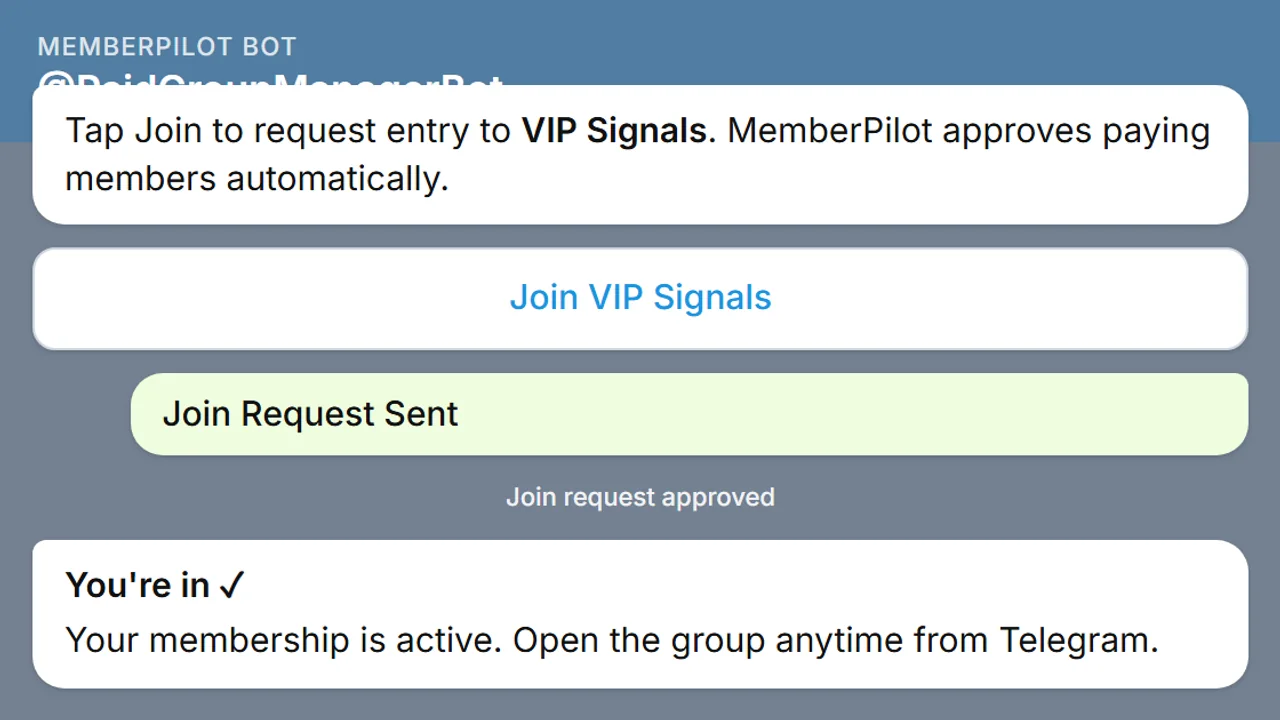
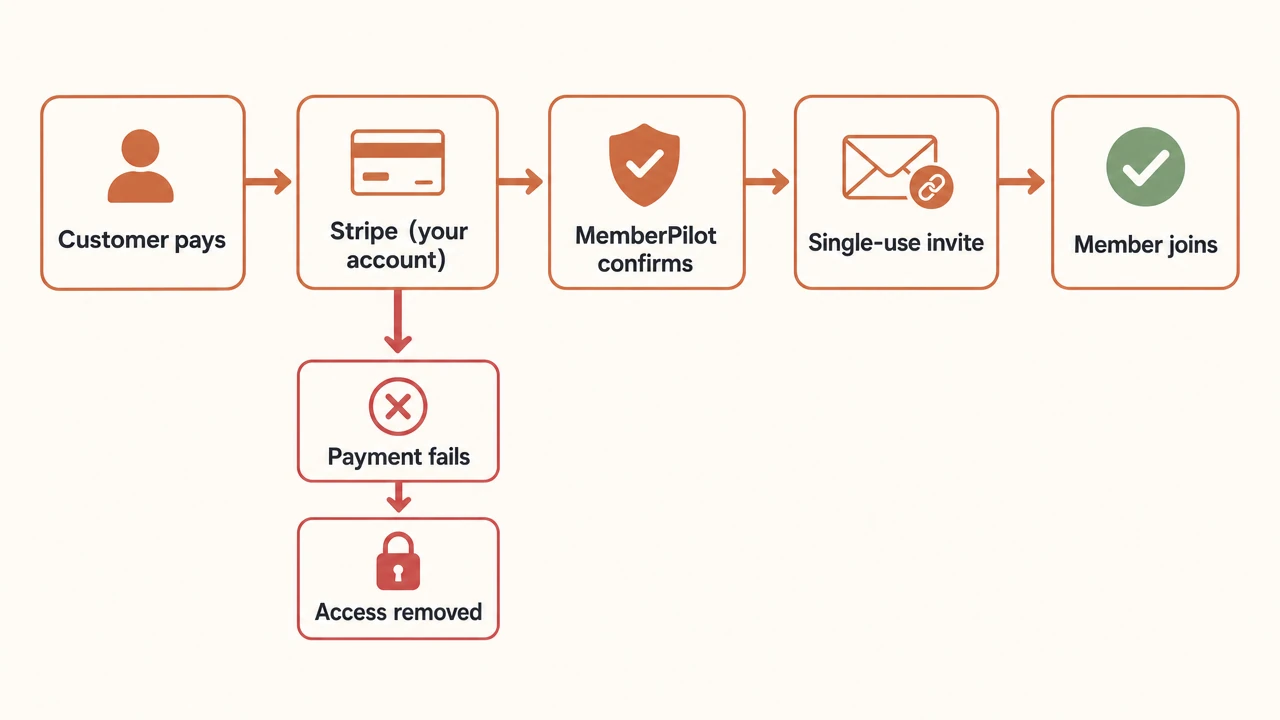
Once Stripe confirms the payment, your bot sends the buyer their access message and they tap through to join. Under the hood this uses Telegram's own createChatInviteLink with a one-person limit, so a link cannot be forwarded and reused by a freeloader.
5. Failed or cancelled payments remove access automatically
This is the step that gives you your evenings back. If a card fails or a member cancels, Stripe runs its own retry schedule for the charge. When the paid period ends and any grace period you set has passed, MemberPilot removes that member using Telegram's banChatMember. Grace defaults to zero days, so access can end exactly when the paid period does unless you choose to be more generous.
Who actually holds the money
You do. This is worth being precise about, because it is the difference between a payment tool and a middleman.
- Card sales settle to your own connected Stripe account. MemberPilot does not keep a creator sales balance and never touches your payout.
- There is no monthly fee for creators. The only MemberPilot charge is the 5% service fee paid by the customer at checkout.
- Stripe's processing fees are separate and billed by Stripe, the same as any Stripe business.
What this setup does and does not do
Honesty here saves you a support headache later.
It does: accept card subscriptions through your own Stripe account, invite paying members automatically, remove expired, cancelled, or failed members automatically, and support free trials (with or without a card up front).
It does not: process Telegram Stars, PayPal, or Binance Pay, and it does not override Stripe's dunning. Stripe decides when to retry a failed card; MemberPilot decides when access ends based on your membership period and grace settings. Card refunds are handled in your Stripe account, and MemberPilot records them when Stripe reports the refund.
Start charging for your Telegram group
If you already have a channel and a Stripe account, the only real work is connecting Stripe and writing one offer. Everything after that, the invites and the removals, is the part you never want to do by hand again.
See pricing for the exact fee, or start for free and connect your Stripe account. Questions about your specific setup can go to our contact page.
Frequently asked questions
- Can a Telegram bot accept Stripe payments directly?
- Not on its own. Telegram does not process recurring card subscriptions, so you connect your own Stripe account through a membership tool like MemberPilot. Stripe handles the card charge and the tool handles Telegram access.
- Does MemberPilot hold my Stripe payouts?
- No. Card payments settle directly to your own connected Stripe account. MemberPilot never holds your revenue and does not keep a sales balance for you. Stripe pays you out on its normal schedule.
- What happens when a member's card fails?
- Stripe runs its own retry schedule for the failed charge. When the paid period ends and any grace period you set expires, MemberPilot removes that member from the channel automatically.
- How much does it cost to accept Stripe payments this way?
- MemberPilot has no monthly fee for creators. Customers pay a 5% MemberPilot service fee at checkout on top of your price. Stripe's own processing fees are separate and charged by Stripe.
- Do members need to be approved manually?
- No. After a successful payment the member receives a single-use invite and joins on their own. You do not approve joins by hand unless you deliberately turn on an approval step.